The Watchlist That Becomes a Waiting Room
A shorter streaming watchlist makes choosing easier: sort saved titles by how you watch, clear stale picks, and keep the next viewing decision simple.
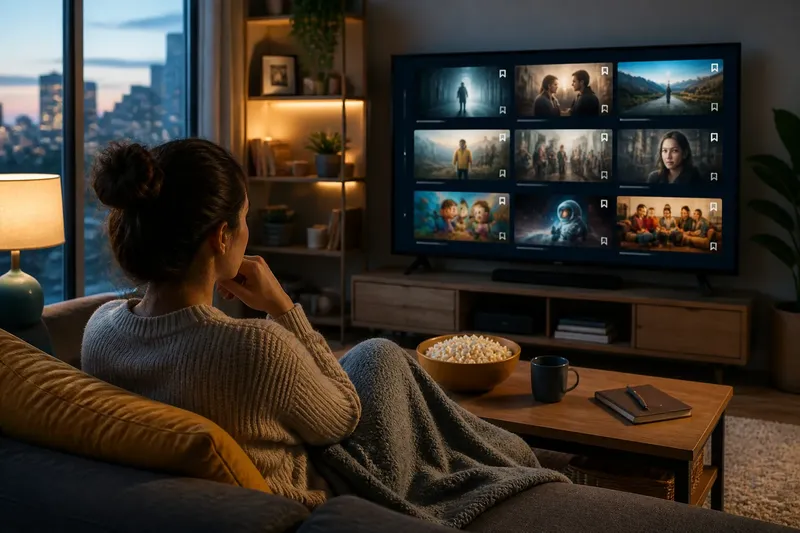
The common watchlist mistake is saving every intriguing title and expecting the list to choose later. Instead, a streaming watchlist can become a waiting room: the longer it grows, the more browsing you do before you even reach the show you meant to watch. A short list, refreshed to match your actual viewing habits, makes the next choice easier.
Why does a long watchlist slow down choosing?
A saved title is a reminder, not a decision. Streaming services may mix films, series, specials, and recommendations in one place, sometimes with rows or sorting options that change as the catalogue changes. A long list asks you to compare items that may have been saved for entirely different moods.
Some titles were saved because a friend mentioned them; others looked appealing during a late-night browse. Still others were added for a trip, a quiet evening, or a day when you had more time. When those intentions sit together without context, the list offers too many plausible answers and no clear reason to pick one.
There is also a practical cost: a title can leave a service, become unavailable in your region, or remain listed after your interest has faded. A large collection of stale reminders makes it harder to notice the few options you genuinely want to watch now.
Which kind of viewer are you right now?
The right list depends less on how many shows you like than on how you tend to watch. Sort by the situation you expect, rather than trying to preserve every possibility.
Do you usually choose for tonight?
If you decide shortly before pressing play, keep a small “ready now” group of titles you can start without further research. Favor options with a manageable commitment for the time and attention you have, and remove a title once you have watched it or changed your mind. This suits viewers who want to spend less time scrolling and more time watching.
Do you save titles for a particular mood?
If your choices depend on mood, keep a few clear labels, such as “light,” “absorbing,” or “short.” Use them as memory cues, not as a second catalogue: a label is useful when it narrows the options you would consider tonight. This fits viewers whose watchlist serves different evenings, but only if each group stays small enough to scan.
Do you follow ongoing series?
If you are partway through several series, separate “continue” from “start.” The first group should contain shows you are already following; the second should hold only a few new candidates. This prevents a promising new series from getting mixed up with episodes you actually intend to resume.
Do you browse across several streaming services?
If your saved titles are spread across services, decide whether each service’s built-in list is enough or whether you need a simple external note. A note can record the title and the service where you saw it, but it adds upkeep and may not reflect changes to availability. Use one only if you regularly lose track of where a title was saved.
How can you make a short list that works?
Choose a limit that feels easy to review, rather than treating it as a universal rule. A useful list should fit on a screen or two and offer a real choice without requiring a long session of sorting. If your service supports separate lists, name them for a viewing situation; if it does not, use one list and remove titles more often.
- Keep “ready now” separate from “maybe later.” A near-term choice should not compete with a title saved for an unspecified future mood.
- Save with a reason. Add a brief note in your own words, such as “friend recommended” or “good for a short evening,” if the service provides no notes field.
- Keep only one or two new series in the active group. Leave other discoveries unsaved or in a separate, low-priority place.
- Remove watched titles promptly. If the service does not clear them automatically, delete them yourself so the list reflects decisions still to make.
- Check whether a title is available before relying on it. Availability can differ by service and location, so a saved item is not the same as a playable one.
- Drop a title if its original reason no longer matters. You do not owe a show attention merely because you once saved it.
Think of refreshing as a brief edit, not a household chore. When you open the list, ask whether each item still fits the purpose of that group. If the answer is no, move it to a separate “later” place only when you have a real reason to keep it; otherwise, remove it.
What should you do when a saved title no longer fits?
Imagine you save a serious documentary after a friend recommends it, but your next few viewing sessions are short and you want lighter fare. Move the documentary out of “ready now,” keeping it only if you still expect to watch it later; then leave the active group with titles suited to the time you have. The observable result is a list whose first choices match the situation, rather than a reminder of every past intention.
That is not the same as abandoning a title forever. A saved item can return when the reason to watch returns, but keeping it active without a current purpose makes the list less informative. Treat removal as a decision about priority, not a verdict on whether the programme is good.
What questions do viewers ask about streaming watchlists?
How many titles should a streaming watchlist have?
Keep enough titles to offer genuine options, but few enough that you can scan them without turning selection into another browsing session. The right size depends on how often you watch and how quickly your preferences change.
Should I save a show if I am not ready to watch it?
Save it if you have a clear reason to remember it, and place it outside the active group if the service allows that. If the title is only vaguely appealing, leaving it unsaved can be better than adding another decision to revisit.
Why does a show disappear from my watchlist?
A service may change how it displays saved items, or the title may become unavailable in your location. Check the service’s title page or help information when you need to know whether the programme can still be played.
Is a separate watchlist app better than the streaming service’s list?
A separate app can bring titles from different services together, while the built-in list may be quicker to open and more directly connected to playback. Choose the option you will actually maintain, and avoid tracking the same title in multiple places unless you need that backup.
When should you keep one list instead of sorting titles?
One list is often enough if you watch in a similar way each time and can make a choice quickly. Categories are not automatically helpful: too many can recreate the same clutter in smaller boxes. Add a division only when it answers a real question, such as “continue a series” versus “start something new.”
If you share a profile, also consider who is saving titles. A combined list can be useful when everyone chooses together, but confusing when household members have different tastes. Separate profiles, where available, preserve clearer personal choices; otherwise, a short note or a simple verbal check can distinguish someone’s personal pick from a group option.
How can you keep the list useful without overmanaging it?
Use the moment you are already browsing as the time to edit. Before adding a title, ask what decision it will help you make later. If you cannot name a likely viewing situation or a reason to remember it, skip the save for now.
When a service offers “continue watching,” recommendations, and a watchlist, give each feature a distinct job. Continue watching is for resuming something underway; recommendations are suggestions to inspect; the watchlist is for titles you have chosen to consider. Keeping those functions separate prevents the saved list from becoming a catchall for everything the interface puts in front of you.
A short streaming watchlist works best as a current set of options, not an archive of every passing interest. Save with a purpose, sort only where it removes a genuine obstacle, and let stale choices go. The next time you open the list, you should be able to recognize why each title is still there.